The CentiAgent Assist family is coming soon: phone apps for the first minutes of an emergency, before professional help arrives, and for getting to your gate on time. Each one helps you call the right number, say where you are, tell the people who need to know, and follow clear, published first-aid and safety steps.
⚠
Prototype — in review; not yet available for emergency use. The apps are under clinical and safety review and are not offered for download. They are not medical devices, do not diagnose and do not replace the emergency services, a doctor or a vet. In an emergency, call your local emergency number now. The videos show fictional scenarios. No organisation named on this site has reviewed or endorsed these apps.
Personal medical emergencies
CentiAgent Assist
Prototype — in review; not yet available for emergency use
When someone collapses, the people beside them have seconds to act. CentiAgent Assist puts the three things that matter on one screen: call for help, say where you are, and keep going until help arrives.
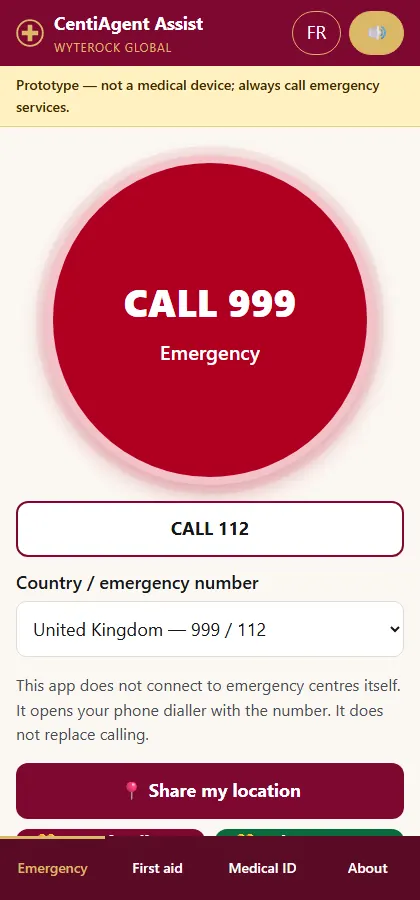
One large button opens your phone’s dialler with the local emergency number for your country.
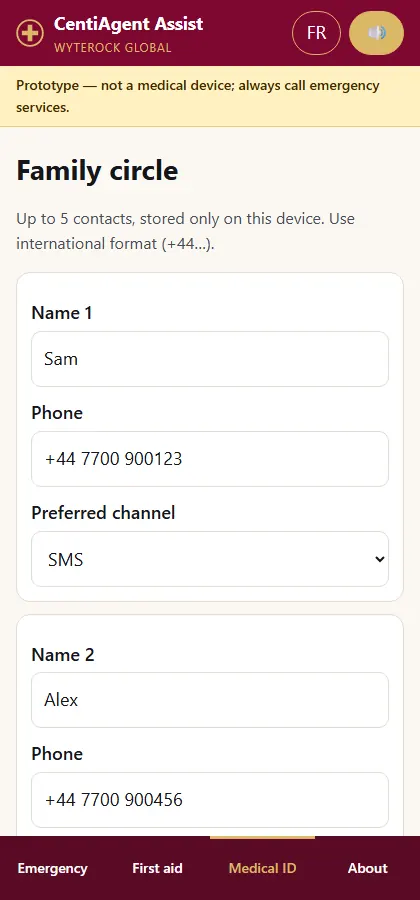
Your location in large type, ready to read to the dispatcher, and one tap to alert family by SMS or WhatsApp with a map link.
The nearest hospitals, with phone numbers and directions, from open map data.
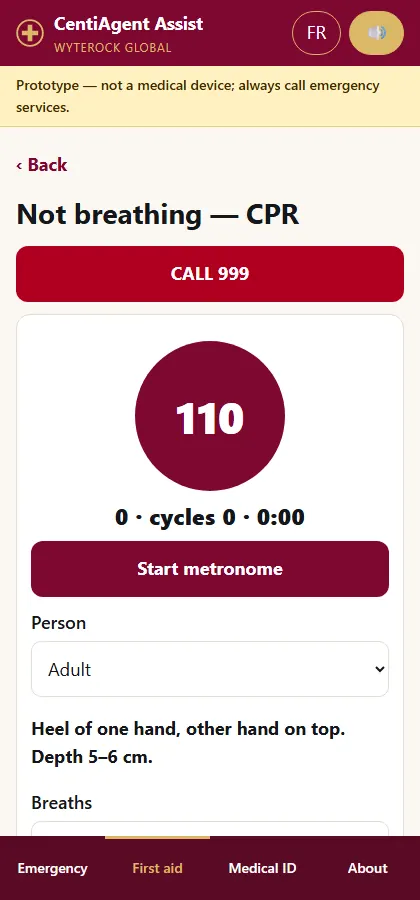
A CPR coach that keeps a steady beat, counts compressions and time, and reminds you to look for a defibrillator.
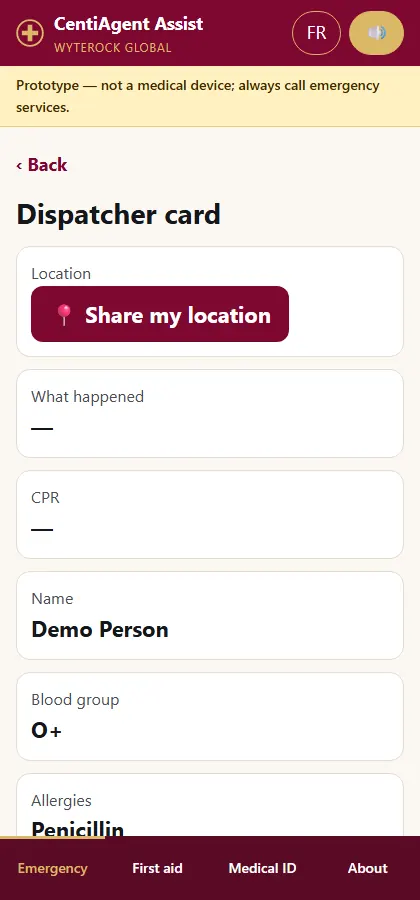
A dispatcher card that shows the arriving crew what happened and how long CPR has run.
Scenario video, with captions. Fictional situation.
Home screenCPR coachAlert familyDispatcher card
Pets and vets
CentiAgent Pet Assist
Prototype — in review; not yet available for emergency use
A pet emergency rarely happens during surgery hours. CentiAgent Pet Assist helps an owner reach the right vet quickly and arrive with the facts the vet needs.
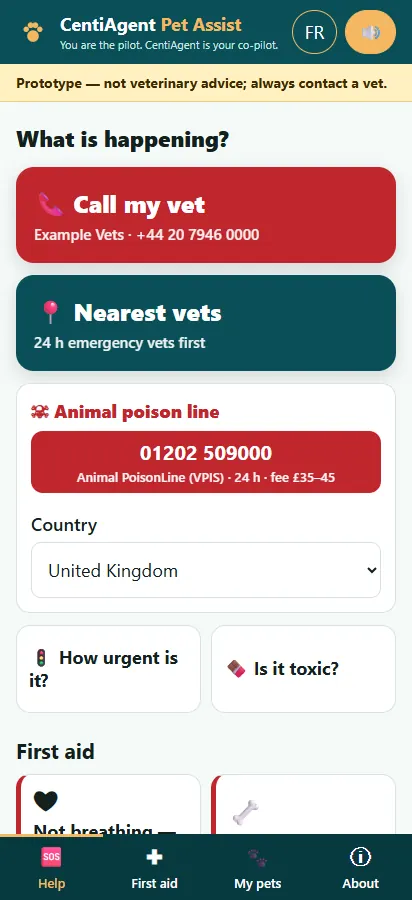
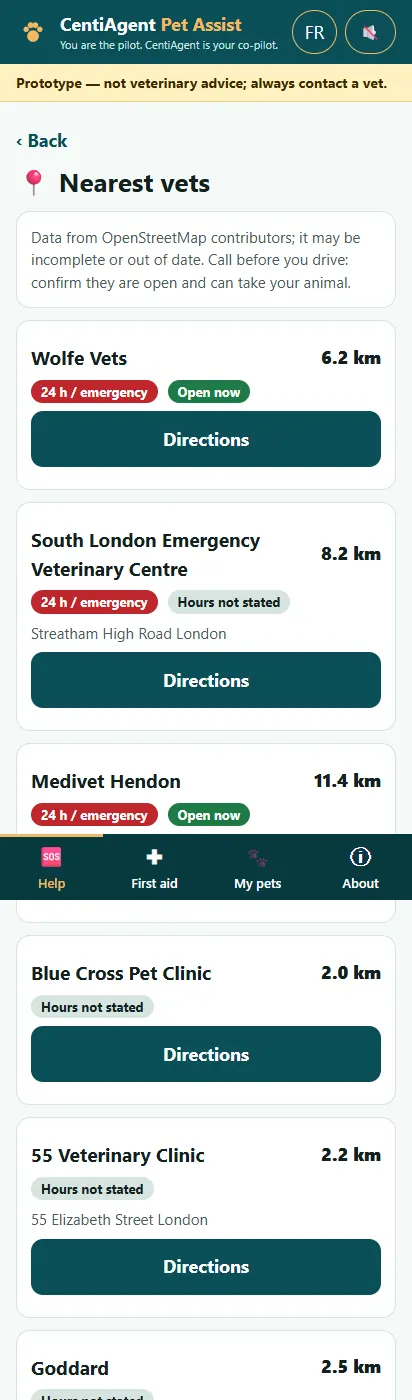
Call my vet, the nearest vets and the animal poison line from the first screen; 24-hour emergency vets listed first.
Plain guidance on what is urgent, including common household poisons such as xylitol in sugar-free gum.
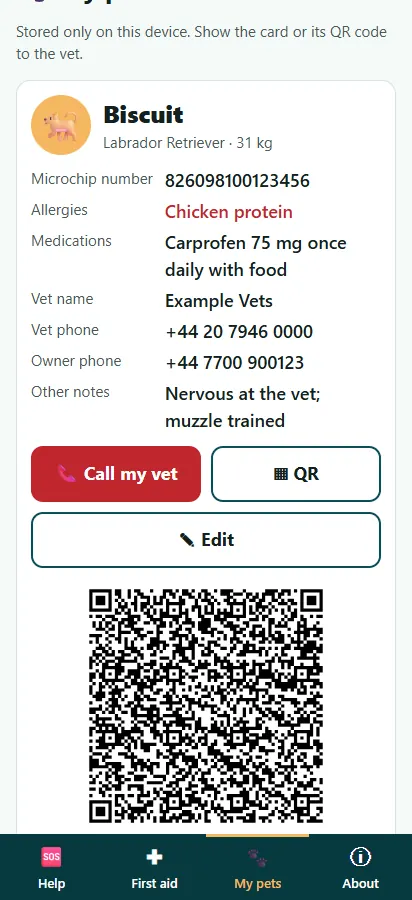
A pet card with breed, weight, microchip and medications, shared with the clinic by QR code.
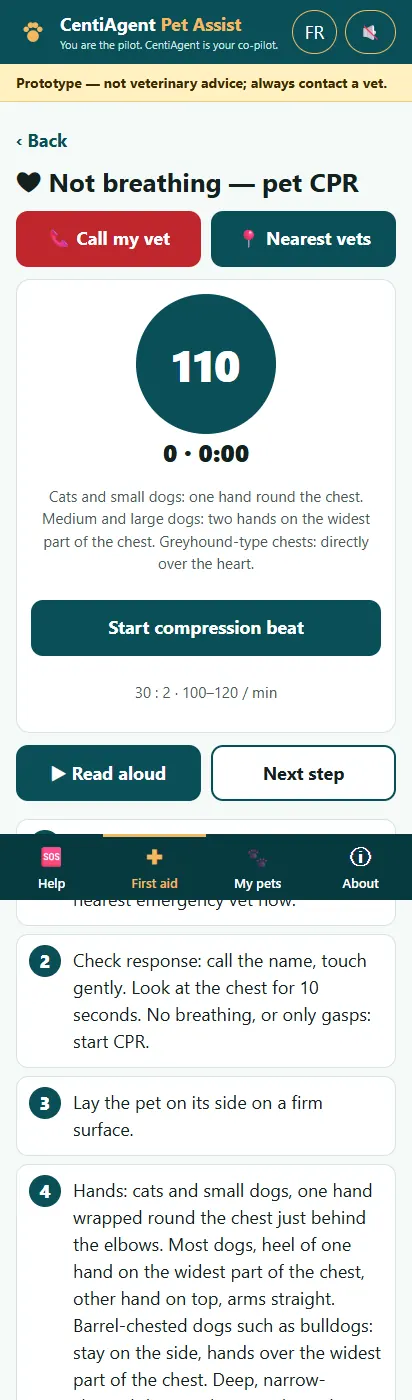
Share your location with family on the way, and a pet CPR guide for the worst case.
Scenario video, with captions. Fictional situation.
Home screenNearest vetsUrgency guidePet card
Fire and smoke
CentiAgent Fire Assist
Prototype — in review; not yet available for emergency use
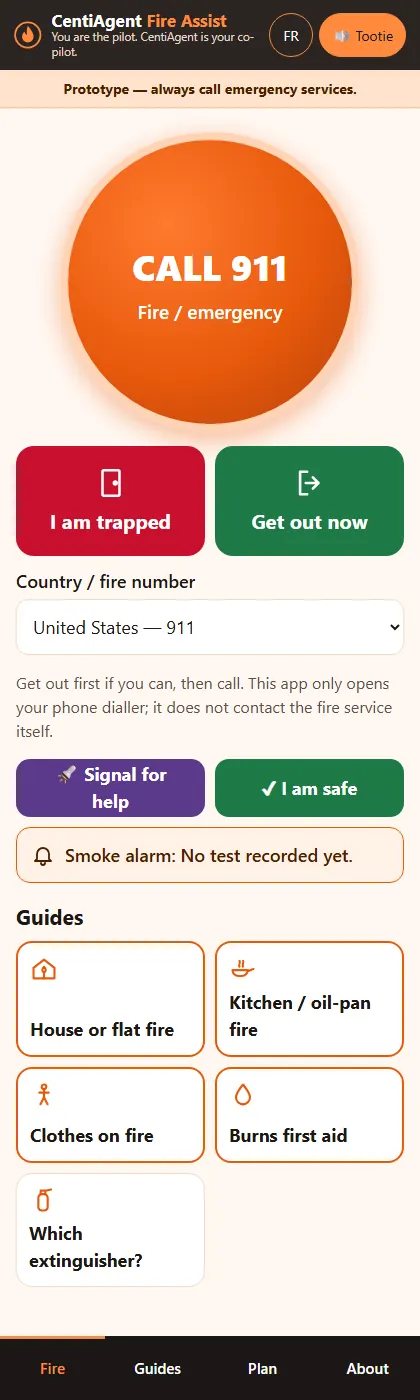
In a fire, the right first move and the right message to the fire service both count. CentiAgent Fire Assist gives clear, published fire-safety steps and a ready-made card to read to the dispatcher.
One button calls the emergency number; the fire service number is shown alongside.
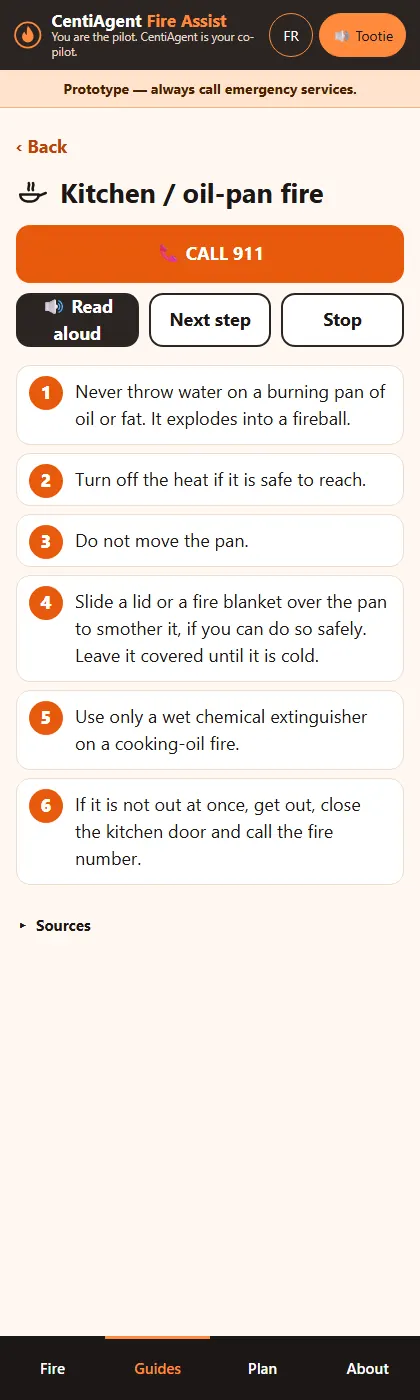
What to do and what never to do, for example never throwing water on a burning pan of oil.
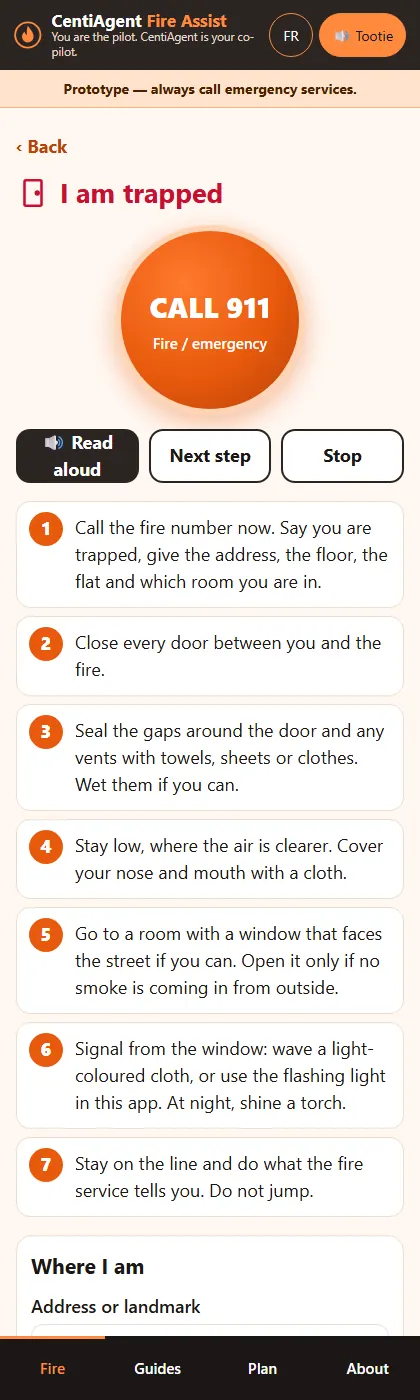
Get out, stay out: escape steps, and what to do if you are trapped.
A card with your address, floor, flat and GPS position, and one tap to tell family “I am safe”.
Scenario video, with captions. Fictional situation.
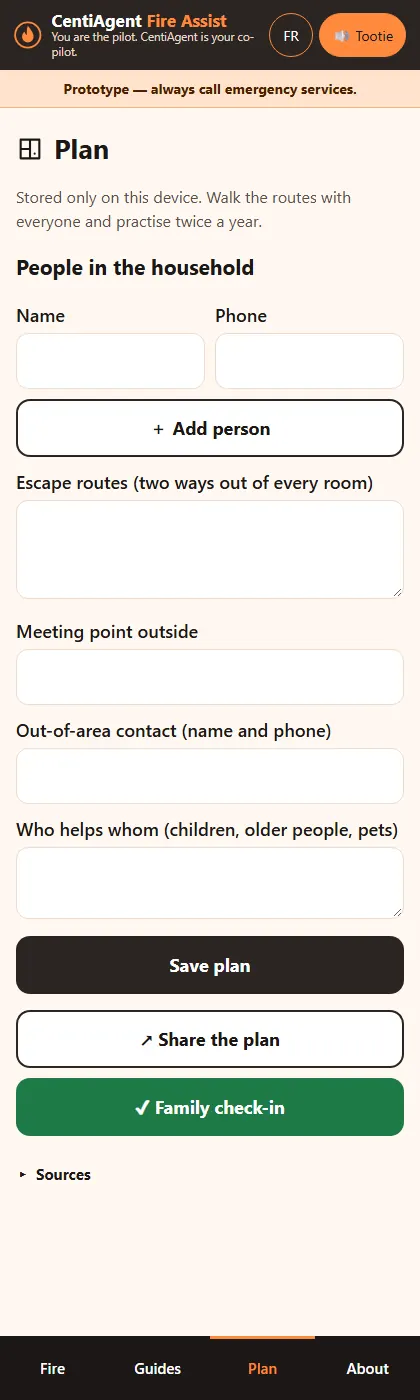
Home screenPan fireEscape planIf trapped
Airports and connections
CentiAgent Airport Assist
Prototype — in review; not yet available for emergency use
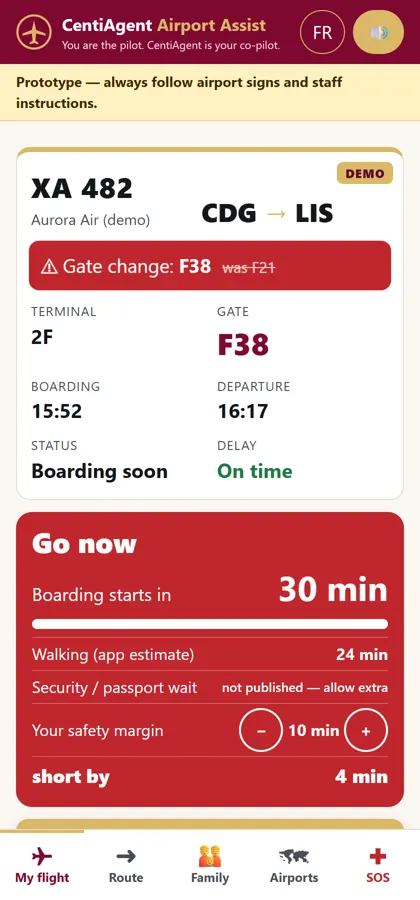
A gate change or a tight connection can cost a flight. CentiAgent Airport Assist starts from your flight number or boarding pass and tells you, in plain words, whether you have time and which way to go.
Your flight, terminal, gate and boarding time on one screen, with an alert when the gate changes.
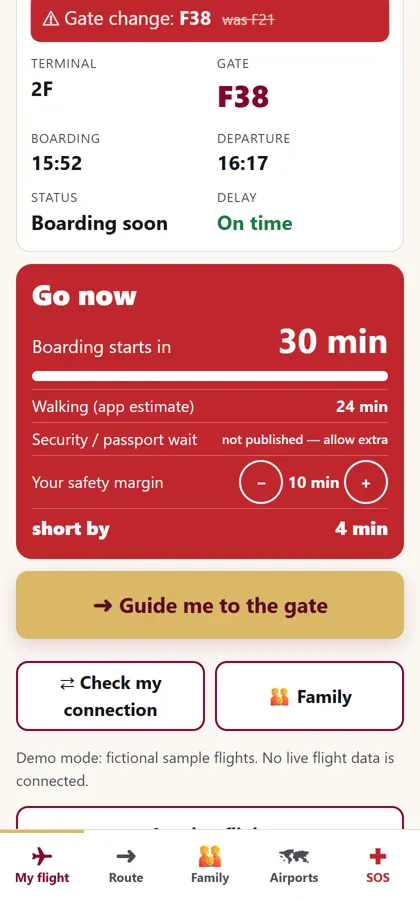
“Do I have time?”: a countdown that adds walking time to the gate and your own safety margin, with a clear “go now”.
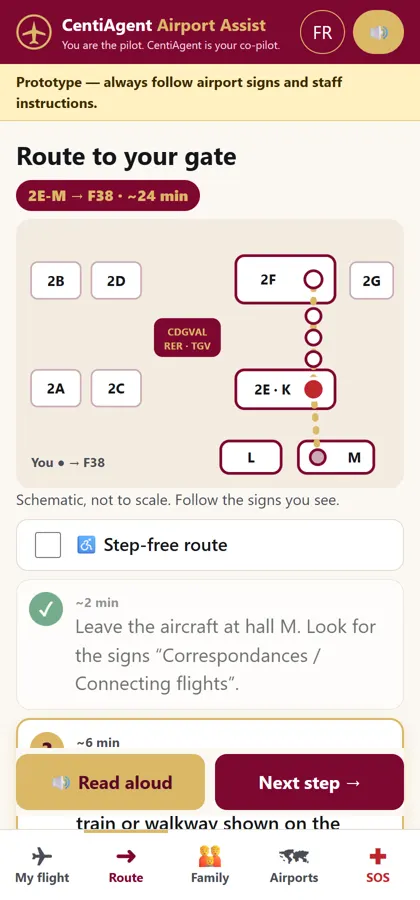
Step-by-step guidance by the airport signs, read aloud in English or French.
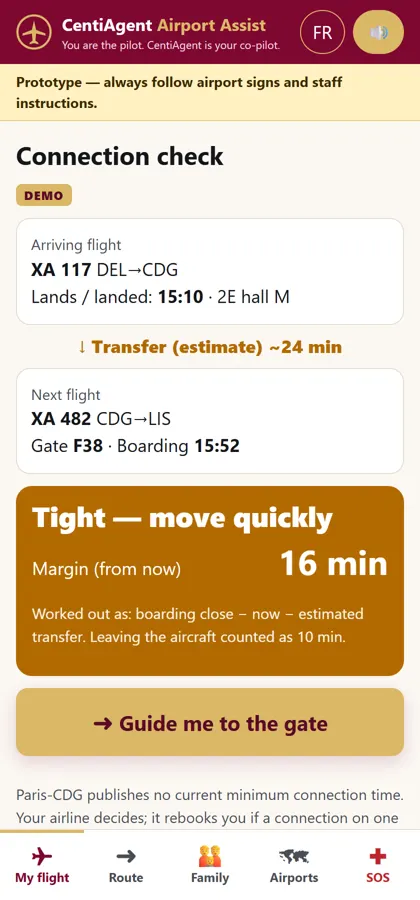
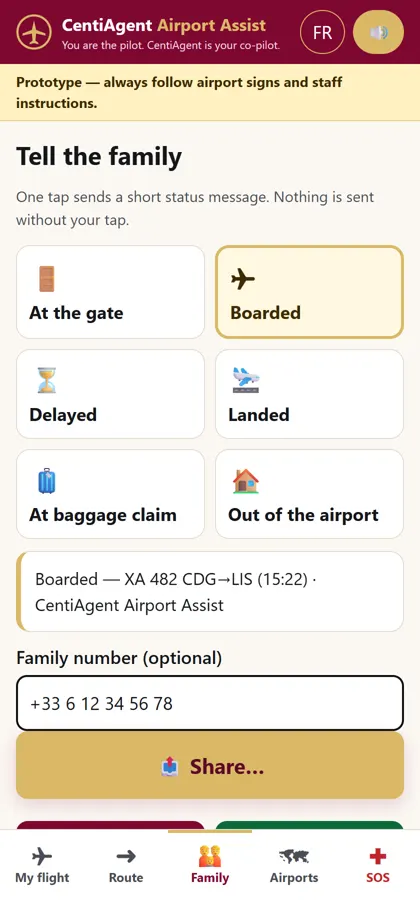
A connection check for transfers, one tap to tell family “boarded” or “landed”, a step-free mode, and emergency help.
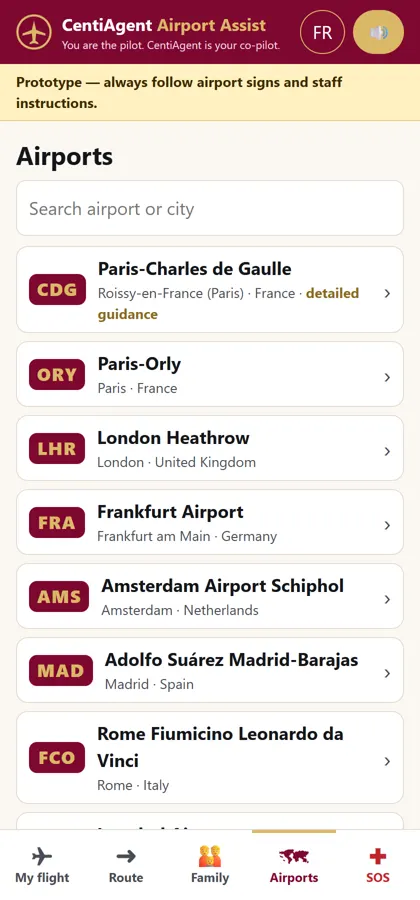
Built for major airports worldwide; the boarding pass is read on the phone and is not uploaded.
Scenario video, with captions. Fictional situation.
My flightDo I have time?Guided routeConnection checkFamily sharingAirports
Free cognitive self-assessment
CentiAgent Mind
Live now: free until 3 February 2027, then EUR 3.99 once per user · a self-assessment, not a medical test
A short, friendly self-assessment of how you reason, remember and focus, with a clear score, your strengths first and simple ways to grow, in English and French. Everything is processed on your phone; nothing is uploaded.
About 20 minutes of original puzzles that adapt to you: patterns, number and letter series, memory, speed and attention.
A CentiAgent Mind Score with a breakdown by area, and encouraging practice tips for each.
“Your CentiAgent co-pilot plan”: four ways to work with an AI assistant, matched to your results.
Optional camera attention measure, off by default. Not a medical or diagnostic test, and not for hiring or school decisions.
Free until 3 February 2027, then EUR 3.99 once per user.
Scenario video, with captions. Fictional situation.
Decision support for executives
CentiAgent Executive Advisory Committee
Prototype · decision support, not legal, tax or investment advice
A committee of advisers in one screen: put a decision to it and see the options, the arguments for and against, and the risks, then a negotiation and financial view.
A decision room with advisers for strategy, finance, legal and operations.
A financial screen where you add events and see the effect.
A negotiation helper with concession lines.
Runs on your device; the demo uses fictional example data.
Challenge first: no option leaves the room without at least one dissenting adviser, so you see the objections before the meeting does.
Evidence you can read: each adviser states how confident it is, and confidence rises only with the facts you supply.
Negotiations prepared in one place: interests, your fallback, the deal zone and a concession ladder.
Private by design: everything stays in your browser, with no account and no upload.
A standing calendar of financial events (quarter-end, board, covenant tests, filings) so nothing is missed.
How to use it
Open the Decision Room. State the decision, the context, your constraints and the deadline. Add your own options if you have them.
Read the Committee Brief: the options, each adviser's view, the dissent map showing who agrees, who agrees on conditions and who disagrees, and the confidence behind each view.
Open the Negotiation Room to map interests, set your opening, target and walk-away positions, and build a concession ladder.
Paste a filing, article or term sheet into the Intelligence Brief to see what it says, what it implies, what is missing and which questions to ask.
Add dates from the Financial Events templates to build your calendar.
Export your work as a file, or clear everything with one confirmed button.
Demo mode runs on your device with built-in rules and three fictional example cases. A live mode with your own AI key is optional and is a prototype. Decision support, not legal, tax or investment advice. The executive decides.
Simulator
CentiAgent Investment Predictive Calculator
Prototype · a simulation from your own assumptions. Not investment advice. Returns are not guaranteed
A simulator of outcomes implied by your own assumptions: keep a safe part, spread a small part across many positions, and see the range of results over time.
Seeded Monte Carlo ranges (p10, p50, p90) for an 80/20 plan.
A growth-probability engine and an impulse-buying overlay.
Country factors: a “true date” index against the ten most advanced economies, with 60 countries of World Bank data (CC BY 4.0).
See a range, not a single number: low, middle and high outcomes (10th, 50th and 90th percentile) over many repeated runs.
Keep a safe reserve: set the share that is never staked, for example 80%, and spread the rest across many small positions.
Measure the cost of impulse buying: add the share of positions chosen on impulse and see the change in outcome.
Compare countries on real data: 60 countries from World Bank open data, each against a benchmark of the ten richest by GDP per head, with an equivalent year against 2026.
Private: no account, no upload, and every assumption is yours to change.
How to use it
In the Simulator, enter your capital, the reserve percentage, the number of positions, the chance of a win, the gain and the loss, and the number of cycles.
Run the simulation and read the low, middle and high outcomes and the chart.
Open the Growth engine to see the probability that your pool grows in each cycle.
Open Behaviour and enter your impulse share to see its effect on the result.
In Country factors, choose your country under "Pick from official data" and a benchmark. Read the years behind or ahead and the equivalent year. Fill the blank factors (war, pandemic and others) yourself.
Use Raw materials to link gains to a raw-material trend if you wish, and use the Export button at the top to save your work as a file.
A simulation from your own assumptions. Not investment advice. Returns are not guaranteed. The investor decides.
For every household
CentiAgent Home Help
Free for your first two months, then EUR 2.99 a month · prototype
A household planner that tracks and reminds you of the repeating events of a home: money, health, car, insurance, school, birthdays and occasions.
Budget, bills and payment calendar, with savings and retirement calculators from your own numbers.
Birthdays, ages and occasions, with check-up prompts by age that you can edit.
Medication times, doctor, dental and eye appointments, and vaccine dates.
Car service, insurance renewals, and school registrations and forms.
Reminders that repeat, with lead time, snooze and a calendar export.
Your data stays on your device. Billing is not connected yet; you will be told before any charge applies.
Benefits
Nothing forgotten: bills, birthdays, renewals, check-ups, vaccines and medication times are all in one place.
One reminder engine behind every tab: repeats, lead time, snooze, done and history work the same way everywhere.
Works with your own calendar: export all reminders as a calendar file.
Alarms the day before and on the day, with a visible alert and a soft bell.
Tell your family by e-mail about the reminders you choose, kept separate from anything else in the app.
Private and offline: your data stays on your phone, with a backup file you control.
Free for your first two months, then EUR 2.99 a month. You will be told before billing applies.
How to use it
Open the app. It starts with a clearly marked example household. Tap Clear examples when you are ready to enter your own.
In Family, add the people in your home with their birthdays. Ages and check-up prompts are worked out for you.
In Budget and payments, enter your budget, your bills and their due dates, and try the savings and retirement calculators with your own numbers.
In Health, add medication times, appointments and vaccines. Follow your clinician's advice for your own schedule.
In Car and insurance, add service dates and policy renewals. In School, add registrations, term dates and forms.
Open Reminders to change how early you are told, snooze or mark items done. Allow notifications, or export the calendar file.
To tell family: in Family, add their e-mail addresses under Family e-mail contacts. In Reminders, pick who to tell on each reminder, and tick Include my notes only if you want the note sent. When an alarm shows, tap the E-mail button; your own e-mail app opens with the message ready and you press Send.
In Settings, switch language, set the alarm and the bell volume, save a backup file or erase everything.
Reminders are aids and you remain responsible. Alarms, the bell and notifications work while the app is open. E-mails are sent from your own e-mail app, never by this app. Calculators are simulations from your own assumptions. Not medical, financial or legal advice. Billing is not connected yet.
Early access and partner enquiries
Tell us which app interests you. Families can ask to join the early-access list; assistance companies, téléassistance providers, telecom operators and insurers can ask about licensing or co-branding. We reply by email.